LCR meaning in text Have you ever received a message containing “LCR” and wondered what those three letters mean? You are not alone! Online abbreviations can be confusing, especially when people use them without explaining their meaning.
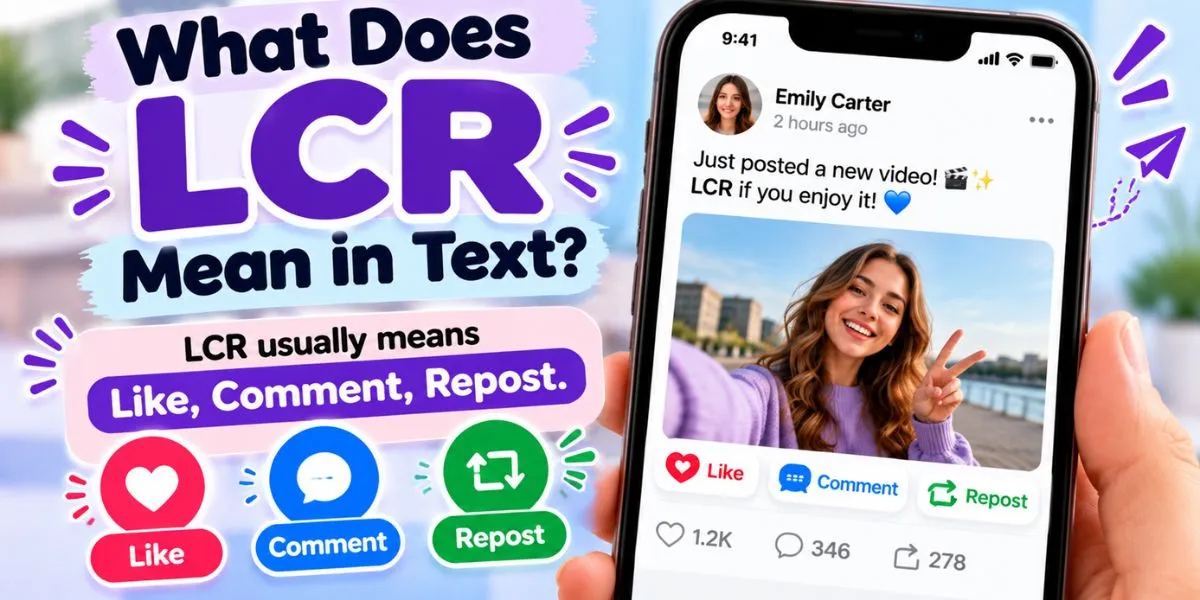
So, what does LCR mean in text? In some social media contexts, LCR means “Like, Comment, Repost.” It is used as a request or reminder for people to engage with a post by liking it, leaving a comment, and reposting or sharing it with others.
For example, if someone sends you a video and writes “LCR,” they may be asking you to interact with the content to help it reach more people. However, LCR is not a universally standardized texting abbreviation. Its meaning can vary depending on the conversation, platform, and community.
In this guide, you will learn the LCR meaning in text, how it may be used on Instagram and TikTok, how to identify its intended meaning, and how to respond naturally. Additionally, you will find practical examples and answers to common questions.
What Does LCR Mean in Text?
In some social media conversations, LCR stands for “Like, Comment, Repost.” It describes three ways to interact with online content.
A like shows appreciation for a post, a comment allows you to share a reaction or opinion, and a repost helps the content reach a wider audience.
For example, someone might send a message saying:
“Posted a new video. LCR!”
In this context, the sender is likely asking people to like the video, leave a comment, and repost it.
However, it is important to understand that LCR does not have one universally accepted meaning across every messaging platform. Therefore, you should consider the surrounding conversation before deciding what it means.
What Does LCR Stand For?
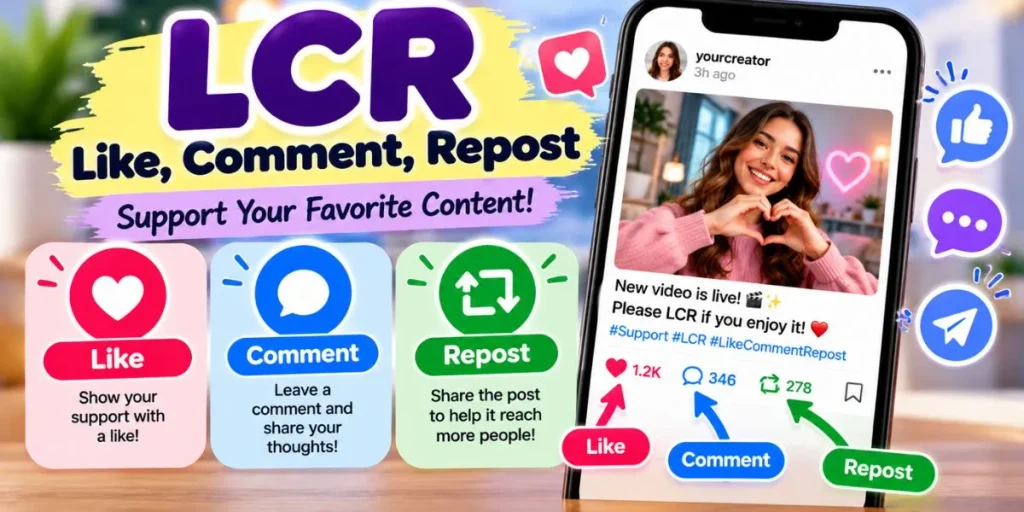
When used as a social media engagement request, LCR stands for:
- L — Like: Show appreciation for a post or video.
- C — Comment: Leave a message or reaction.
- R — Repost: Share the content again so other people can discover it.
For instance, a content creator might write “Please LCR my latest post” when encouraging followers to interact with new content. LCR meaning in text
Similarly, a friend may use LCR in a group chat to ask everyone to support a shared video.
Is LCR a Common Texting Abbreviation?
LCR is not as universally recognizable as abbreviations such as LOL, IDK, or TBH. Its meaning can depend on the platform, the community, and the purpose of the message.
Some users may understand it as “Like, Comment, Repost,” especially when discussing social media engagement. Others may be unfamiliar with the abbreviation or use the same letters for something different.
Consequently, it is best to interpret LCR in context rather than assume that everyone uses it in the same way.
How Is LCR Used on Social Media?
When LCR is used to mean “Like, Comment, Repost,” its main purpose is to encourage interaction with online content.
Creators and ordinary users may ask others to engage with their posts because they want more people to see them. Nevertheless, the exact request depends on the message.
1. Asking Someone to Like a Post
The first part of LCR refers to liking a post.
A like is a simple way to show that you appreciate a photo, video, announcement, or other piece of content. LCR meaning in text
For example:
Friend: “I just uploaded my holiday pictures. LCR!”
You: “Sure, I’ll check them out.”
Here, your friend is asking you to engage with the pictures. If you enjoy them, you can like the post.
2. Encouraging Comments
The second part refers to commenting on the content.
Comments allow people to express opinions, ask questions, or share their reactions. Therefore, a creator may ask followers to comment if they want to encourage discussion.
For example:
Creator: “What do you think of my new video? LCR!”
The creator may be asking viewers to like the video, comment on it, and repost it.
However, you do not need to leave a comment if you have nothing meaningful to say. A genuine reaction is more useful than a forced one.
3. Asking People to Repost Content
The final part of LCR refers to reposting or sharing content.
Reposting can help a video, announcement, or photograph reach people beyond the original poster’s audience.
For example:
Friend: “Please LCR this announcement so more people see it.”
In this case, the sender wants others to interact with and share the announcement.
Before reposting, make sure the content is accurate and appropriate to share. This is especially important when a post contains news, personal information, or claims that could affect other people.
What Does LCR Mean on Instagram, TikTok, Snapchat, and Facebook?
The interpretation of LCR may vary across social media platforms. When it appears alongside a post or video, “Like, Comment, Repost” may be the intended meaning.
However, LCR is not an official, universal feature name on every platform. The context of the message is what helps you understand the request.
LCR Meaning on Instagram
On Instagram, a message containing LCR may be asking you to engage with a photo, Reel, or other post.
For example:
Friend: “New Reel is up! LCR ❤️”
You: “I’ll take a look!”
Your friend is probably encouraging you to interact with the Reel.
Instagram offers likes, comments, and sharing options. However, the precise method of reposting can depend on the content and the features available to the account.
Therefore, look at the message and the attached post rather than assuming that LCR refers to a special Instagram setting. LCR meaning in text
LCR Meaning on TikTok
On TikTok, LCR may appear in a direct message, a comment, or a request to support a video.
For example:
Creator: “Just posted a new video. LCR if you enjoy it!”
The creator is asking viewers to engage with the video.
TikTok users may like videos, comment on them, and share content with others. Nevertheless, the abbreviation itself is an informal expression, not a universal TikTok command.
LCR Meaning on Snapchat
On Snapchat, someone might use LCR when sharing content or asking friends to support a social media post.
For example:
Friend: “Check out my latest post. LCR!”
The sender may want you to interact with the post on the relevant platform.
However, Snapchat conversations often involve private messages, photos, and short videos. If the meaning is unclear, ask which post they want you to engage with and where it was published.
LCR Meaning on Facebook
On Facebook, LCR may be used in group chats or messages asking people to engage with a post.
For example:
Group member: “Please LCR the event announcement.”
The member may be encouraging people to like, comment on, and share the announcement.
This can help spread information within a community. Nevertheless, consider whether the content is trustworthy and appropriate before sharing it further. LCR meaning in text
What Are the Other Possible Meanings of LCR?
Although “Like, Comment, Repost” may be intended in social media engagement requests, LCR can have other meanings in different contexts.
There is no single alternative meaning that applies to every conversation. Instead, the subject of the discussion provides important clues.
LCR in Personal Messages
If someone sends LCR without mentioning a post, video, or social media account, the meaning may be unclear.
For example:
You: “What did you mean by LCR?”
Friend: “I meant like, comment, repost on my new video.”
This exchange shows why asking a simple follow-up question can be helpful.
Rather than assuming that the abbreviation has a hidden emotional meaning, check what the sender is referring to.
LCR in Gaming
In gaming communities, LCR may be used as a group-specific abbreviation, a name, or a term related to a particular game. LCR meaning in text
However, you should not automatically interpret it as a gaming term without evidence from the conversation.
For example, if someone uses LCR while discussing a game, ask what it means in that specific community if the surrounding messages do not clarify it.
LCR in Technical or Professional Contexts
LCR can also appear in technical, business, or specialist discussions, where it may refer to a field-specific term.
For example, in electronics, an LCR meter measures inductance, capacitance, and resistance. In finance, LCR can stand for the liquidity coverage ratio, a banking liquidity measure.
These meanings are different from the social media interpretation.
Therefore, context matters: a conversation about posts and videos may point toward “Like, Comment, Repost,” while an electronics or finance discussion may use LCR in a specialized sense.
Read More: TF Meaning in Text: What Does TF Mean in Chat & Social Media?
How Can You Tell What LCR Means?
Because LCR can have multiple interpretations, it helps to examine the complete message instead of focusing only on the letters.
Here are three simple ways to identify the intended meaning.
1. Look at the Surrounding Message
The words around LCR often provide the strongest clue.
For example:
“New post is live. LCR!”
This message suggests a social media engagement request because it refers to a new post.
On the other hand, LCR in a technical report may refer to a completely different concept.
2. Check Whether a Post or Video Is Mentioned
If someone sends you a social media link and writes LCR, they may be asking you to interact with the content.
Similarly, phrases such as “support my new Reel,” “check out my video,” or “help this post reach more people” suggest an engagement-related meaning.
However, if there is no content to interact with, you may need more information.
3. Ask the Sender for Clarification
Sometimes, the easiest solution is to ask what the abbreviation means.
You could reply:
- “What does LCR mean here?”
- “Do you mean like, comment, repost?”
- “Which post do you want me to check out?”
- “Can you explain what you mean by LCR?”
These questions are simple and respectful. Additionally, they prevent misunderstandings that might occur if you guess incorrectly. LCR meaning in text
Real Text Message Examples Using LCR
The following examples show how LCR might be used when someone is asking for social media engagement. The interpretation depends on the context of each conversation.
Example 1: A Friend Shares a New Photo
Friend: “Uploaded some new pictures. LCR!”
You: “Nice, I’ll have a look.”
Meaning: Your friend is probably asking you to like, comment on, and repost the pictures if appropriate.
Example 2: A TikTok Video
Creator: “New video is live. LCR if you like it!”
Follower: “I’ll watch it now.”
Meaning: The creator is encouraging viewers to interact with the video.
Example 3: A Group Chat
Friend: “Everyone, please LCR the event announcement.”
You: “Sure, I’ll check the details first.”
Meaning: The sender wants group members to engage with the announcement, potentially to help more people discover it.
Example 4: Supporting a Small Business
Business owner: “We just posted our new collection. LCR!”
Friend: “I’ll check it out and share it if I think my friends would like it.”
Meaning: The business owner is encouraging engagement with the new post.
This example also shows that you can choose how to interact with content rather than feeling obligated to perform every action.
Example 5: A Personal Message With No Context
You: “What does LCR mean?”
Friend: “It’s for my latest post. Like, comment, repost.”
Meaning: The sender explains the intended abbreviation because it was not clear from the original message.
Example 6: A Technical Discussion
Colleague: “We need to check the LCR readings.”
You: “Do you mean the inductance, capacitance, and resistance measurements?”
Meaning: In an electronics discussion, LCR refers to technical measurements rather than social media engagement.
These examples demonstrate why context is essential. Although LCR may mean “Like, Comment, Repost” in a social media request, the same letters can refer to something else in a different setting.
How to Respond When Someone Texts LCR

Your response should depend on what the sender wants and whether you understand the request.
In most situations, a friendly and direct reply is enough.
1. If They Want You to Engage With a Post
If the sender is asking you to check out a post, you can acknowledge the request.
For example:
Friend: “Posted a new Reel. LCR!”
Your reply: “Sure, I’ll check it out!”
This response is friendly without promising that you will perform every action.
2. If You Want to Support Their Content
If you enjoy the post and want to support the creator, you can respond positively.
Possible replies include:
- “Nice, I’ll check it out!”
- “Congratulations on the new post!”
- “I’ll share it if it’s relevant to my audience.”
- “Looks interesting. I’ll take a look.”
These responses show interest while allowing you to decide how you want to engage.
3. If You Are Unsure What LCR Means
If the abbreviation appears without context, ask a simple question.
For example:
Friend: “LCR?”
Your reply: “What do you mean by LCR?”
There is nothing wrong with asking for clarification. In fact, it is often the quickest way to avoid misunderstanding a short message.
4. If You Do Not Want to Repost Something
You do not have to repost every piece of content someone sends you.
If you prefer not to share it, you can reply politely:
- “I’ll take a look, but I can’t promise to repost it.”
- “Thanks for sending it!”
- “I prefer to share only posts that are relevant to my audience.”
This approach lets you maintain your boundaries while keeping the conversation respectful.
Is LCR Appropriate in Professional Messages?
Whether LCR is appropriate in professional communication depends on the context.
If you work in social media marketing, content creation, or digital promotion, the abbreviation may be understood within your team. Nevertheless, it is better to define it when communicating with people who may be unfamiliar with it.
For example, instead of writing:
“Please LCR the new campaign post.”
You could write:
“Please like, comment on, and repost the new campaign post if appropriate.”
The second version is clearer because it explains the requested actions.
Similarly, if you are discussing a technical or financial subject, define LCR according to the relevant industry terminology.
Ultimately, complete wording is usually the safest option in formal emails, client messages, business proposals, and important workplace discussions.
Frequently Asked Questions About LCR Meaning in Text
1. What does LCR mean in text?
In some social media contexts, LCR means “Like, Comment, Repost.” However, the abbreviation can have other meanings depending on the conversation and subject.
2. What does LCR stand for on social media?
LCR may stand for “Like, Comment, Repost” when someone asks others to engage with a post or video.
3. Does LCR mean Like, Comment, Repost?
It can. This is a possible interpretation in social media engagement requests, but it is not a universal definition used by everyone.
4. What does LCR mean on Instagram?
If someone sends LCR alongside an Instagram post or Reel, they may be asking you to like, comment on, and repost or share the content. The exact meaning depends on the message.
5. What does LCR mean on TikTok?
On TikTok, LCR may be used to encourage people to engage with a video. However, it is an informal abbreviation rather than an official platform command.
6. Is LCR a common texting abbreviation?
LCR is less universally recognizable than common abbreviations such as LOL and IDK. Its meaning may depend on the platform or community using it.
7. Can LCR have different meanings?
Yes. LCR can refer to different terms in social media, electronics, finance, and other specialized fields. Context is essential for identifying the intended meaning.
8. How do you respond when someone texts LCR?
If the sender is asking you to engage with a post, you can say, “Sure, I’ll check it out.” If the meaning is unclear, ask, “What do you mean by LCR here?”
9. Why do people ask others to LCR their posts?
They may want to encourage engagement and help more people discover their content. However, you should interact with or share content only when you choose to.
10. Is LCR appropriate in professional communication?
It can be acceptable when everyone understands the abbreviation. Otherwise, write the full phrase or explain the meaning to avoid confusion.
Final Thoughts on LCR Meaning in Text
The LCR meaning in text depends on the conversation. In some social media contexts, LCR means “Like, Comment, Repost,” a request for people to interact with and share online content.
However, LCR is not a universally standardized texting abbreviation. It can also refer to different terms in technical, financial, gaming, or other specialized discussions.
Therefore, pay attention to the surrounding message before deciding what the sender means. If someone mentions a new post or video, the social media interpretation may fit. If the context is unclear, asking a quick follow-up question is the best way to avoid confusion.
Ultimately, understanding abbreviations becomes easier when you focus on the complete conversation rather than the letters alone.
